
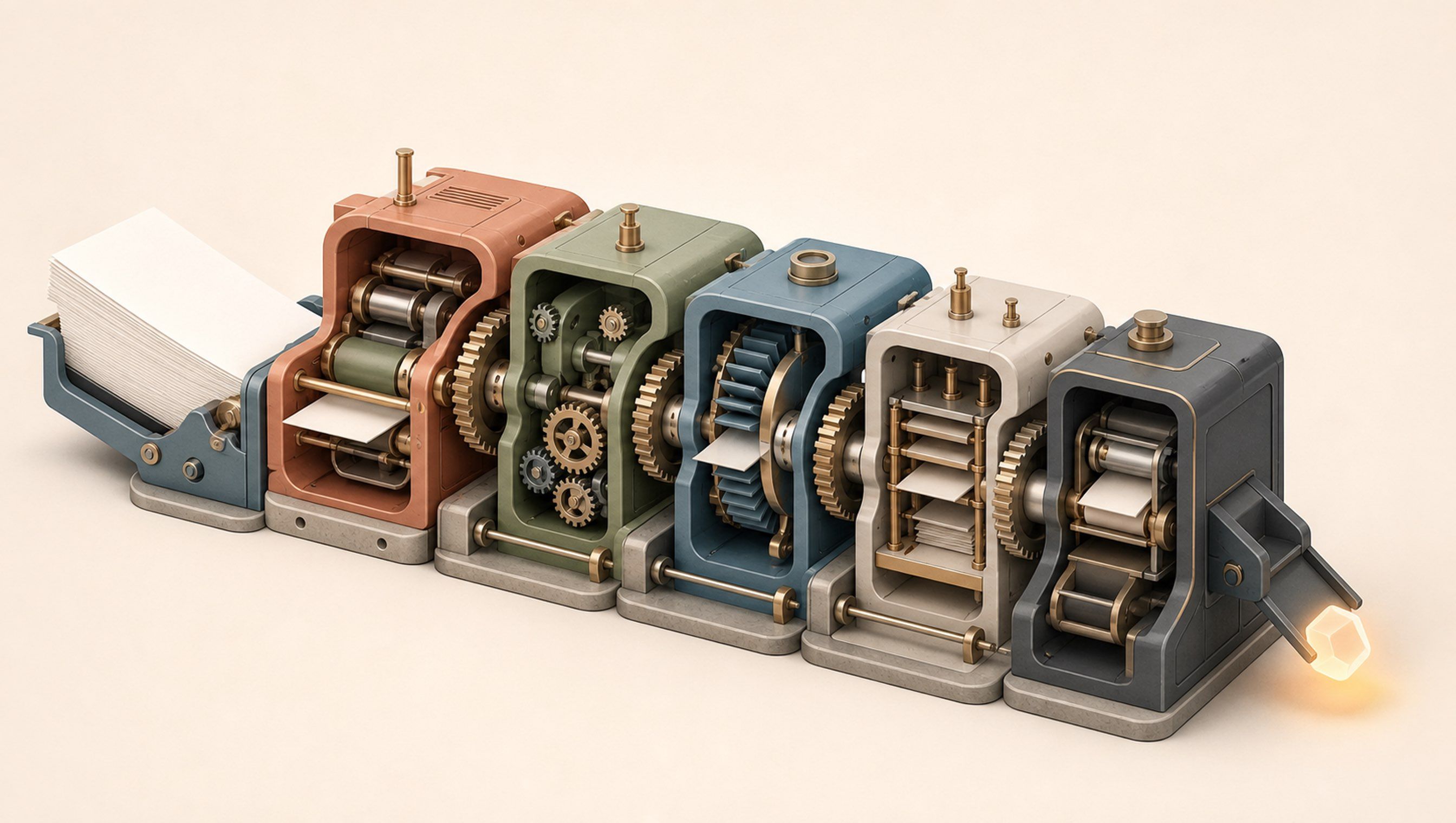
My knowledge base could answer almost any question about my business long before it could help me run the business.
It knew our positioning, offers, campaign plans, research, decisions and writing rules. If I needed a fact or wanted AI to draft something with the right context, it worked well.
But I was still running the business from memory. I had to remember what mattered, decide what came next and chase every loose end myself.
This changed when I stopped treating organised information as the finished system. I added a simple loop that connected what we knew to what we needed to do next.
A knowledge base answers: What do we know?
An operating system has to answer: What matters now? What is the next move? Who owns it? What changed? What should the system learn?
Organised information is only the start
Most company knowledge bases are built like good libraries. The shelves are organised, search works and AI can usually find the right page.
That is useful. But a library cannot tell you which book matters today.
It does not know that a CEO decision has made 3 older plans irrelevant. It does not bring a blocked task back into view when someone finally replies. It does not explain why a choice was made, so the next person – or the next AI session – may reopen the same debate.
That is how a company can have excellent documentation and still depend on Slack messages, meetings and one person remembering to follow up.
The missing part is a loop that turns stored knowledge into today's work.
The loop that changed my setup
I built my Master Knowledge Base to hold several ventures, client projects and reusable systems. At first, each area had its own plans and notes. Everything was documented, but running the business still meant opening several folders and rebuilding the week in my head.
The system became genuinely useful when I created one daily view of every active commitment. That view connected to three things: where each project stood, the decisions waiting to be made and the detailed records behind the work.
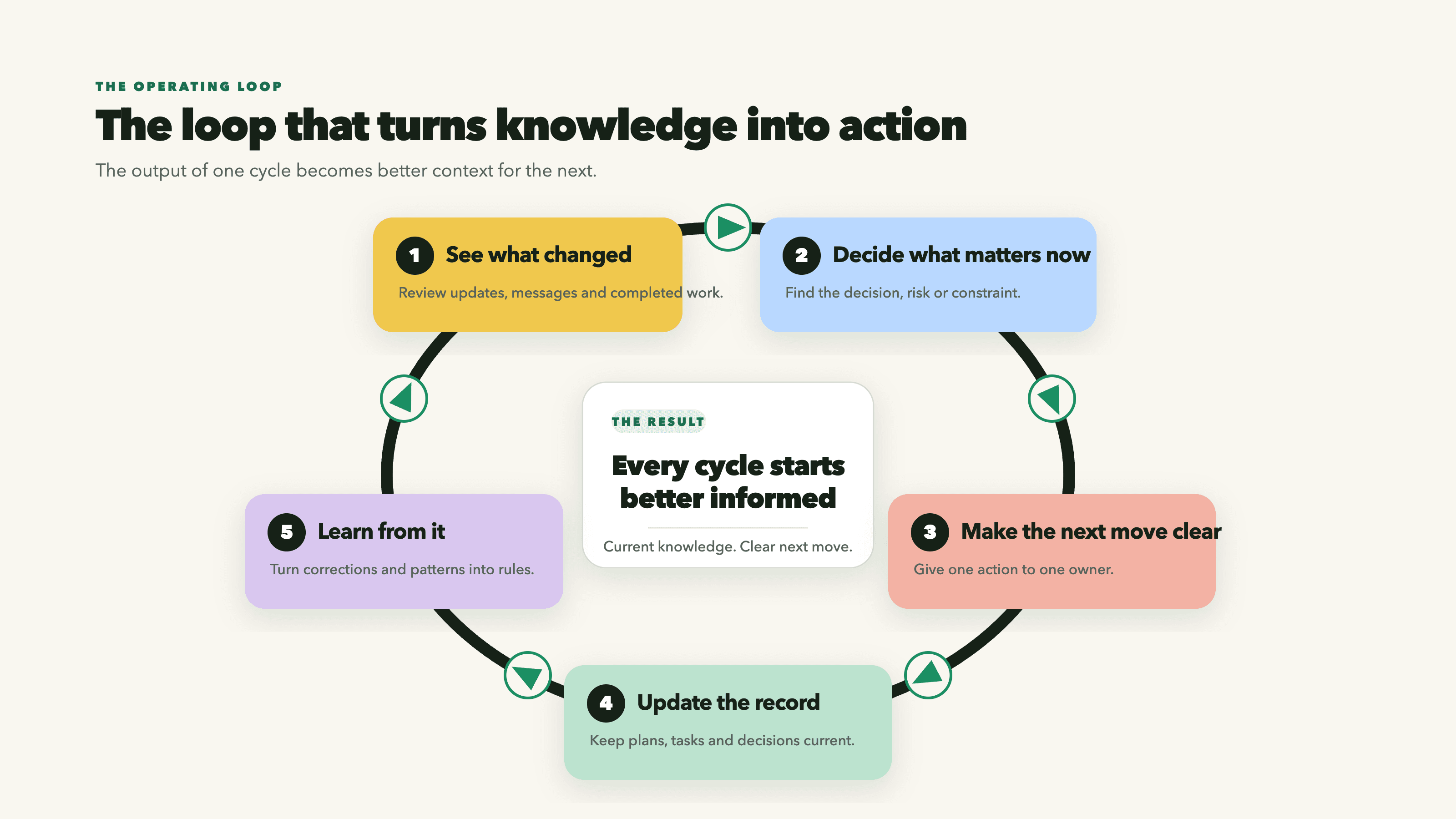
Now I can run the same simple loop every day:
- See what changed: review project updates, new messages, completed work and anything we are waiting on.
- Decide what matters now: identify the decision, risk or constraint that controls the next move.
- Make the next move clear: give one action to one owner in the shared task list.
- Update the record: when the work changes a plan or decision, update the relevant files.
- Learn from it: turn repeated corrections and useful patterns into rules for the next cycle.
The task file is not another project plan. It is the scheduler. The full detail stays in the project file. The task list simply gives me one place to see what must move today.
That distinction made quite the difference. The knowledge base stopped waiting for me to ask a question and started helping me run the week.
The 5 parts you actually need
You do not need a complicated platform to do this. You need a few simple parts, with each part doing one clear job.
1. The files you trust
These are the files that hold the company knowledge you want people to rely on: positioning, customers, offers, processes, policies, research and approved examples.
The important part is deciding which file wins when 2 files disagree. A final decision should outrank an old plan. The latest project update should outrank a meeting note from 3 weeks ago.
2. Where things stand today
This is a short, current view of the business or project. It should tell you the present phase, the biggest risk and the number, event or dependency that controls what happens next.
Without it, AI can find a fact that is technically correct and still give you advice that is 3 weeks out of date.
3. Work, owners and next moves
Every commitment needs one owner, one next move and one clear status: active, waiting, backlog or done. A task should appear in only one of them. Otherwise the same work shows up in several places and nobody knows what is actually happening.
The project file explains the work. The task list tells you whether it needs attention now.
4. Decisions
Record what was decided, why it was chosen, what was rejected and what changed as a result. If a decision lives only in a meeting, someone will have to make it again when the work changes hands.
Small decisions matter too. They are often the reason work moves this week – or does not.
5. Keeping the system up to date
This closes the loop. When work finishes, update where the project stands, close or move the task, record any decision and fix the files that are no longer current.
If someone corrects the same mistake more than once, turn that correction into a rule or quality check. Otherwise the knowledge base remembers what happened while the business keeps making the same mistake.
See how your own setup performs
Give your AI assistant access to the files you use to run the business, then copy and run this prompt:
Audit this company knowledge base as an operating system.

Do not judge folder organisation alone. Check whether the system can answer:
1. What matters now?
2. What is the next move?
3. Who owns it?
4. What is blocked, and by whom or what?
5. Which file should be trusted when 2 files disagree?
6. What changed in the last 30 days?
7. Which decisions made older plans stale?
8. Which files get updated when work is completed?
9. How does the system learn from repeated corrections?

Return:
- What the knowledge base can already do
- What is missing if this system is going to help run the work
- Conflicting or duplicated files
- The smallest 5 files or workflows to add first
- A simple Sense → Decide → Act → Record → Learn loop for this company

Do not edit any files. Separate verified findings from recommendations.
If the audit only tells you how easy your information is to find, you have built a better library.
If your setup can show what matters, move the work, record decisions and improve the next cycle, you are building a compounding operating system.
If your company has plenty of information but work still depends on people remembering what happens next, AIxGrowth can help you turn that knowledge into a system that moves the business forward. Get in touch with us.